
 Hyundai Santa Fe: Driving in the rain
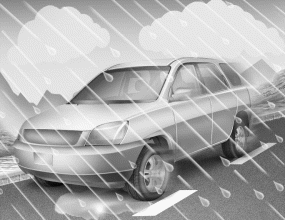
Rain and wet roads can make driving dangerous, especially if you’re not prepared for the slick pavement. Here are a few things to consider when driving in the rain:
- A heavy rainfall will make it harder to see and will increase the distance needed to stop your vehicle, so slow down.
- Keep your windshield wiping equipment in good shape. Replace your windshield wiper blades when they show signs of streaking or missing areas on the windshield.
- If your tires are not in good condition, making a quick stop on wet pavement can cause a skid and possibly lead to an accident. Be sure your tires are in good shape.
- Turn on your headlights to make it easier for others to see you.
- Driving too fast through large puddles can affect your brakes. If you must go through puddles, try to drive through them slowly.
- If you believe you may have gotten your brakes wet, apply them lightly while driving until normal braking operation returns.
 Driving at night
Because night driving presents more hazards than driving in the daylight, here are some important tips to remember: Slow down and keep more distance between you and other vehicles, as it may be more difficult ...
 Driving in flooded areas
Avoid driving through flooded areas unless you are sure the water is no higher than the bottom of the wheel hub. Drive through any water slowly. Allow adequate stopping distance because brake performance ...
See also:
Canister Close Valve (CCV). Repair procedures
Inspection 1. Turn the ignition switch OFF. 2. Disconnect the CCV connector. 3. Measure resistance between the CCV terminal 1 and 2. 4. Check that the resistance is within the specification. Specification: ...
Downhill brake control (DBC)
The Downhill Brake Control (DBC) assists the driver when descending a steep hill without the driver depressing the brake pedal. It slows the vehicle to under approximately 6.3 mph (10 km/h) and lets the ...
Telemetics Unit (TMU). Repair procedures
Removal 1. Disconnect the negative (-) battery terminal. 2. Remove the glove box housing. 3. Disconnect the cables and connector (A) from the MTS unit. [Audio type] [AVN type] 4. Remove the MTS unit after ...
