
 Hyundai Santa Fe: Crach Pad Center Panel. Repair procedures
Replacement
|

|
| 1. |
Remove the console front complete assembly.
|
| 2. |
Remove the crash pad lower panel.
|
| 3. |
Remove the glove box housing.
|
| 4. |
Remove the heater control unit.
|
| 5. |
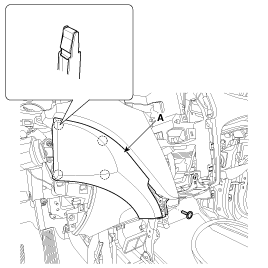
After loosening the mounting screw, then remove the crash pad
garnish [LH] (A).
|
| 6. |
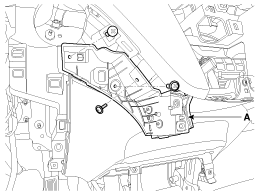
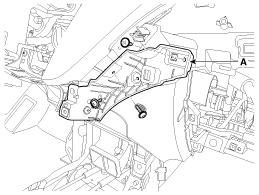
After loosening the mounting screws, then remove the center crash
pad cover (A).
[LH]
[RH]
|
| 7. |
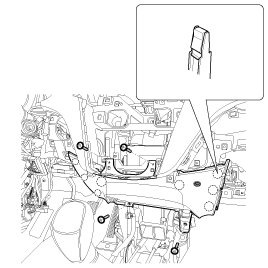
After loosening the mounting screws, then remove the crash pad
center lower panel (A).
|
| 8. |
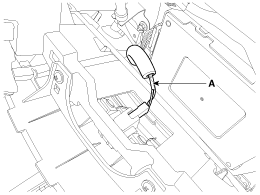
Disconnect the console under lamp connector (A).
|
| 9. |
Install in the reverse order of removal.
|
 Crach Pad Center Panel. Components and Components Location
Component Location 1. Crash pad center lower panel ...
 Main Crash Pad Assembly. Components and Components Location
Component Location 1. Main crash pad assembly ...
See also:
Fuel Tank. Repair procedures
Removal 1. Release the residual pressure in fuel line. (Refer to Fuel Delivery System - “Release Residual Pressure in Fuel Line�) 2. Remove the rear seat assembly. (Refer to Body - “Rear Seat Assembly") ...
Seat Belt Buckle Switch (BS). Components and Components Location
Components ...
Dimensions
...
